
Better-Vetted Apps. Faster Approvals. Less Admin Work.
October 23, 2026 •ENow Software
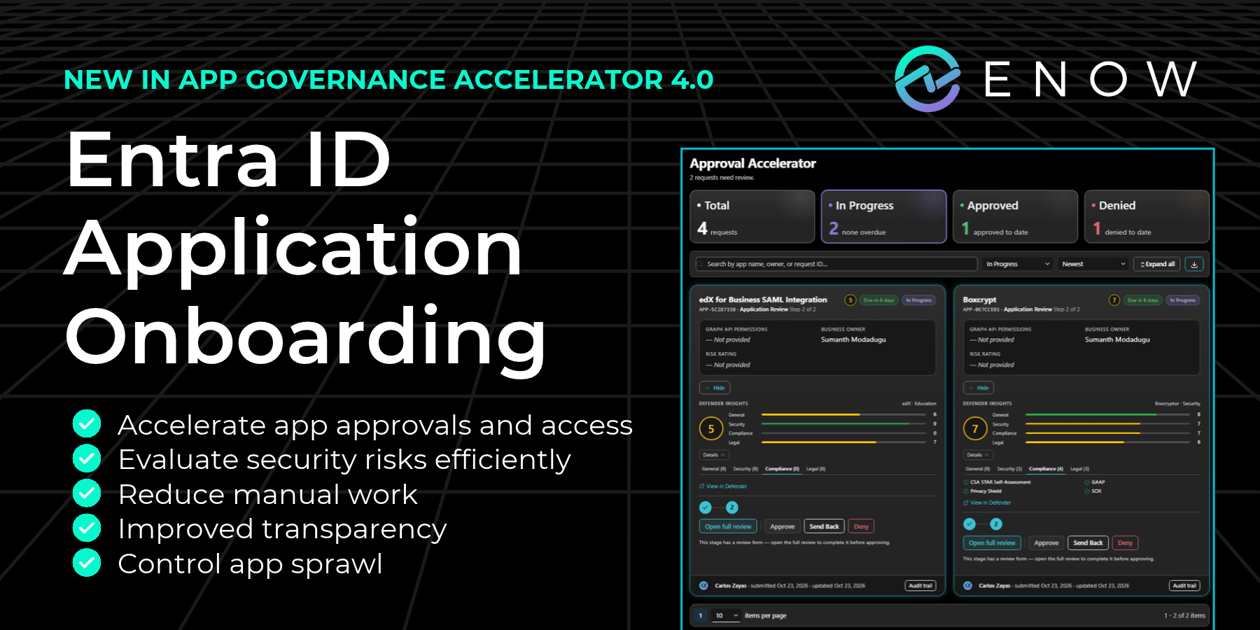
Introducing Entra ID App Onboarding with ENow App Governance Accelerator 4.0
As organizations adopt more SaaS applications and AI tools, identity and security teams responsible for Entra ID face a growing challenge of giving employees access to the applications they need without introducing unnecessary security risks or creating more administrative work.
Traditional application onboarding often involves emails, service tickets, manual security research, and approvals spread across multiple teams. The result tends to be delayed access, frustrated employees, inconsistent security reviews, and an increasing burden on IT.
As Microsoft encourages organizations to adopt more restrictive application consent policies, identity and security teams face growing pressure to review and approve application requests without slowing employee productivity or increasing administrative overhead.
App Onboarding in ENow App Governance Accelerator brings Entra ID application requests, security evaluation, and approvals into a structured governance process. It is new in App Governance Accelerator 4.0, available now.
App Governance Accelerator already helps organizations identify and manage security risks across applications in their Entra ID tenant. Version 4.0 Enterprise edition extends that governance to the application onboarding process, introducing structured security reviews and approvals before new applications are granted access. The release also expands reporting and visibility into existing applications, summarized at the end of this post.
See App Onboarding in action. Get a personalized demo of App Governance Accelerator 4.0.
Request a Demo →How Does App Onboarding Work in App Governance Accelerator 4.0?
At a high level, with App Governance Accelerator App Onboarding, an employee requests an app in a self-service portal that pre-fills details from Entra ID. Alternatively, native Admin Consent requests are rerouted to the self-service portal. The request moves through the approval stages your team configures, with supporting security context such as Microsoft Defender for Cloud Apps risk scores. Reviewers approve or deny it on a single dashboard, and the decision is recorded.
Going Beyond Microsoft's Native Admin Consent Capabilities
Microsoft Entra provides capabilities to enforce Admin Consent, and a native workflow that allows employees to request that authorization when they cannot grant consent themselves. However, organizations often need additional and customizable business approvals, security evaluations, and governance controls before allowing new applications into their environment. These are often unique to each individual organization's security, compliance, and vendor management policies.
App Governance Accelerator improves and extends the review and approval process with configurable multistage workflows, organization-specific approval rules, integrated security intelligence, SLA tracking, and a centralized dashboard for managing application requests.
While Microsoft Entra helps administrators approve permissions, App Governance Accelerator helps organizations determine which applications should be approved and how those decisions are governed.
Five Ways App Governance Accelerator 4.0 Improves the Entra ID App Onboarding Experience for Users and Admins
1. Reduce the Time Identity Teams Spend on Application Approvals
In Entra ID, a single app request can turn into a small project. Someone looks up the vendor, checks which permissions the app wants, tracks down the business sponsor, and then waits on approvers who each want something different.
App Governance Accelerator 4.0 brings together the request process, review tasks, security intelligence, handoffs, and approvals into a single flow. Reviewers start with the app's populated details from Entra ID and spend their time on the decision itself.
One of the most time-consuming parts of application approval is researching unfamiliar applications to determine whether they introduce security risks. App Governance Accelerator 4.0 simplifies this process by bringing available Microsoft Defender for Cloud Apps security intelligence and risk scores directly into the Approval Accelerator Dashboard.
Instead of researching every application independently, identity teams can access relevant security context alongside the application request, helping them make faster, more informed approval decisions.
App Governance Accelerator 4.0 features:
- A centralized Approval Accelerator Dashboard for managing application requests
- Integrated Microsoft Defender for Cloud Apps security intelligence and app risk scores
- Direct links to Defender for Cloud Apps for licensed organizations
- Configurable approval stages to establish consistent review and approval processes
- Better visibility into pending requests and approval progress
- Two-way communication with requesters inside each request, with internal reviewer comments kept private
The benefit: Less manual app research, fewer emails chasing missing details, and more consistent decisions, giving identity teams more time for higher-value security initiatives.
2. Reduce Shadow IT and Application Security Risks
Shadow IT thrives when users are blocked by slow internal processes or an unjustified "no." If they can't get what they need through official channels, they'll sign up independently with their work email and move on. These shadow SaaS apps and AI tools can end up holding, and potentially exposing, company data that nobody in security has reviewed.
App Governance Accelerator 4.0:
- Gives employees a self-service portal for requesting applications
- Routes requests submitted through the portal into a centralized onboarding queue
- Incorporates security reviews directly into the onboarding process
- Applies appropriate controls and checkpoints before applications are approved
The benefit: Greater visibility and control over new application adoption. By making the official request process easier and more transparent, organizations can encourage employees to bring applications through approved channels where security teams can evaluate them before granting access.
3. Standardize Application Security and Governance
Without a defined onboarding process, application approvals can vary depending on who's reviewing the request.
Picture two departments asking for the same AI note-taking app in the same month. One request goes to an admin who approves it after a quick look. The other lands with a security reviewer who asks for a vendor assessment first. Both reviewers made reasonable calls, but you now have two answers to one question and no record of why.
App Governance Accelerator 4.0 enables teams to:
- Create customized approval stages
- Establish organization-specific approval rules
- Route requests through designated stakeholders
- Apply consistent due diligence and governance requirements
The benefit: A repeatable application approval process aligned with corporate security policies. Documented reviews and decisions also make it easier to demonstrate how applications were evaluated without reconstructing approvals from old emails and Teams messages.
4. Reduce Application Approval Bottlenecks
Most stalled requests are waiting for a person. A reviewer doesn't know it's their turn, or the approval sits in an inbox behind fifty other emails. Meanwhile, the employee who asked has no idea whether anything is happening.
App Governance Accelerator App Onboarding:
- Streamlines requests through structured workflows
- Establishes clear approval responsibilities
- Tracks application requests and status throughout the approval process, visible to both requesters and approvers
- Supports SLAs and due dates for each approval stage, with visibility into approaching or overdue approvals
The benefit: Faster decisions, reduced IT workload, and a better employee experience. Clear ownership, deadlines, and request visibility help teams identify stalled approvals while reducing the need for employees to chase status updates.
5. Reduce SaaS Sprawl and Promote Approved Applications
Employees often request applications without knowing that their organization already has an approved solution.
A common example: a marketing team requests a project management tool without realizing that the sales department already licensed another tool with overlapping capabilities. Now there are two vendors, two contracts to manage, and two applications in Entra ID with separate permissions, access controls, and ongoing governance requirements.
App Governance Accelerator 4.0:
- Helps reviewers discover existing approved applications through the Internal App Catalog
- Reduces redundant software requests and unnecessary application proliferation
The benefit: Reviewers can quickly understand which applications have already been approved for specific business use cases. This reduces unnecessary application requests, encourages the use of trusted solutions, and helps organizations avoid redundant SaaS spending.
For identity and security teams, fewer unnecessary applications also mean fewer permissions, credentials, and application identities to monitor and govern downstream throughout their lifecycle.
Also New in App Governance Accelerator 4.0
Internal App Catalog (Enterprise)
A central inventory of your governed apps with approval status, risk rating, permissions, and recent sign-in activity. Import existing records from spreadsheets or other tracking tools.
Suspected Stale Apps reports (Professional)
60-day and 90-day views of enterprise applications with no recent sign-in activity.
Expanded change history (Professional)
Changes to ownership, permissions, credentials, and policies across enterprise applications, app registrations, and service principals.
AppGov Score Recommendations (Professional)
Many security scorecards tell you where you stand. ENow App Governance Accelerator 4.0 tells you the exact steps required to improve your score, prioritized by effort or impact.
Go from scorecard to action plan in one click. See exactly what to fix, how many applications need attention, and how each change could improve your AppGov Score. Recommendations identify specific targets, such as "reducing ownerless applications from 73 to 50 to improve a governance rating from Poor to Below Average and raise your overall score by 5%." Prioritize the fewest changes for the greatest impact, see the combined score improvement of your next three quick wins, and jump directly to the reports where you can take action.
From Application Request to Ongoing Governance
App Governance Accelerator helps organizations govern Entra ID applications throughout their lifecycle: from the initial request and approval process to ongoing visibility, risk assessment, ownership, remediation, and offboarding.
With App Governance Accelerator 4.0, employees benefit from a more streamlined application request experience, while IT and identity teams reduce manual research, administrative overhead, and approval coordination. Security teams gain greater visibility and control over application adoption, with a more consistent approach to evaluating risks before access is granted.
ENow App Governance Accelerator 4.0
Take Control of Application Onboarding
Stop relying on disconnected emails, manual security research, and inconsistent approval processes.
With App Onboarding in ENow App Governance Accelerator 4.0 Enterprise, organizations can streamline application requests, evaluate security risks, and establish consistent governance policies before applications gain access to their Microsoft environment.
See App Onboarding in Action
Schedule a personalized demo to see how App Governance Accelerator can help your identity and security teams reduce administrative work, accelerate approvals, and strengthen application governance.
Not ready for a demo? Start with a free AppGov Score assessment to identify application governance risks in your Entra ID environment.
Frequently Asked Questions About ENow App Governance Accelerator 4.0
What's new in ENow App Governance Accelerator 4.0?
Version 4.0 introduces App Onboarding: a self-service request portal, configurable approval stages with owners and due dates, two-way communication between requesters and reviewers, and the Approval Accelerator Dashboard, which brings in security intelligence and risk scores from Microsoft Defender for Cloud Apps. It also adds an Internal App Catalog of your governed apps, expands the Suspected Stale Apps reports to 60- and 90-day views, expands change history for enterprise applications, app registrations, and service principals, and adds recommendations to improve your AppGov Score.
What is App Onboarding in App Governance Accelerator?
App Onboarding brings Entra ID application requests, security evaluation, and approvals into one structured governance process. Employees request apps through a self-service portal, and reviewers evaluate each request through the approval stages your team defines.
How do you approve Entra ID app requests with App Governance Accelerator?
Reviewers see each request in the Approval Accelerator Dashboard with its current stage, due date, and app details, Defender for Cloud Apps Insights, and can then approve, send back, or deny the request. Every decision is recorded.
How is App Onboarding different from the Microsoft Entra admin consent workflow?
Microsoft Entra's native admin consent workflow allows employees to request approval and authorization when they cannot grant consent themselves.
ENow App Governance Accelerator goes beyond basic consent approval steps by providing a comprehensive application onboarding and governance process.
With App Governance Accelerator 4.0 Enterprise, organizations can establish customized, multistage approval workflows, apply company-specific approval rules, and assign responsibilities and deadlines to different stakeholders. The centralized Approval Accelerator Dashboard also incorporates security intelligence from Microsoft Defender for Cloud Apps, helping reviewers evaluate application risks without extensive manual research.
Employees benefit from a self-service request portal, visibility into their request status, and communication around the decision and justification.
The key difference: Microsoft Entra helps administrators approve application permissions. ENow helps organizations determine which applications should be approved, evaluate their security risks, and manage the entire approval process.
Does App Onboarding use Microsoft Defender for Cloud Apps risk scores?
Yes. Where a Microsoft Defender for Cloud Apps risk score is available for an app, reviewers see it during the review. Organizations with Defender licensing can also link directly for more information.
Which App Governance Accelerator edition includes App Onboarding?
App Governance Accelerator Enterprise tier includes App Onboarding capabilities.
How can I check my Entra ID application governance for free?
Run the free AppGov Score assessment. It scans your Entra tenant once and runs core application and tenant configuration checks, building a quantifiable score of your application governance posture in Entra ID.

Written by ENow Software
ENow protects and optimizes Microsoft 365, Copilot, and Entra ID, giving modern IT leaders clarity and simplicity to manage complex environments. From proactive monitoring to license optimization, adoption, and identity governance, ENow enables IT teams to manage, scale, and secure their Microsoft environment with confidence; all in one place, without the chaos.