
March 12, 2026 •Alistair Pugin
Your Microsoft Entra ID application estate is already part of your attack surface – whether you’ve mapped it or not. In Microsoft 365 environments, applications registered in Entra ID often become long-lived access paths into mail, files, and directory data. In our recent ENow “Preventive Maintenance” webinar, we walked through a practical roadmap for locking down modern apps in Entra ID without breaking the business. This recap distills that 60‑minute session into a concrete plan you can start applying this quarter.
Why application security in Entra ID is different now
Identity has become the control plane of the cloud, and applications are how that identity is exercised. Every app registration, service principal, and consent grant in Entra ID is a potential entry point. What’s changed in the last few years isn’t just attacker sophistication – it’s the sheer volume and autonomy of app usage.
In many tenants, developers, power users, and even third‑party vendors can register apps or request consent with little central oversight. That’s how you end up with:
- Orphaned apps no one remembers creating
- Over‑privileged service principals with broad directory access
- Legacy auth and basic auth connections quietly bypassing MFA
- Consented third‑party SaaS apps that no one is monitoring
We opened the session with a simple premise: you can’t “tool” your way out of this. You need a phased roadmap that starts with visibility, evolves into governance, and then scales through automation.
Phase 1: Visibility – you can’t secure what you can’t see
The first phase is dull but critical: build a living application inventory in Entra ID.
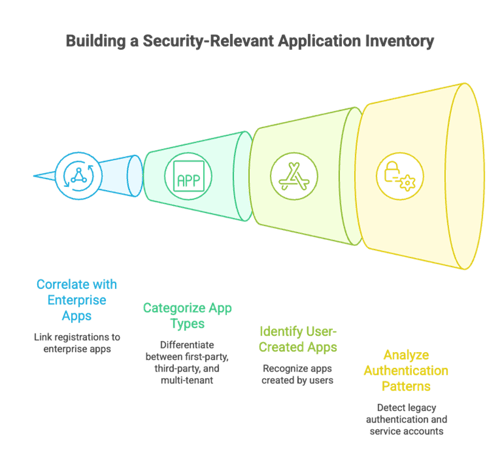
That means going beyond “list of app registrations” and instead creating a security‑relevant view of your application estate:
- Entra ID app registrations and corresponding enterprise applications
- First‑party vs third‑party vs multi‑tenant apps
- User‑created apps and consent grants
- Legacy authentication patterns and service accounts
A real‑world example from the webinar: a global engineering firm thought they had ~150 “official” apps. Once they exported app registrations and enterprise applications and correlated them with sign‑in and audit data, they discovered over 900 service principals in active use. Roughly 30% had no clear owner, and several had directory‑wide permissions. No one had ever intentionally “approved” that risk – it simply accumulated over time.
We recommended building a simple classification model tied to three dimensions:
- Business impact: critical, high, medium, low
- Data access: what data and scopes the app can actually touch
- User scope: who can use it (entire tenant vs a specific group vs a single workload)
You don’t need a fancy platform to start. Even an exported CSV mapped into a security workbook is a useful beginning. The key is to make this inventory owner‑aware: associate each app with a business sponsor and technical owner and track last sign‑in and credential status. That alone surfaces obvious cleanup candidates.
Phase 2: Governance – from “wild west” to managed program
Once you can see your apps, the next step is to stop new risk from outpacing your cleanup. That’s where application governance comes in.
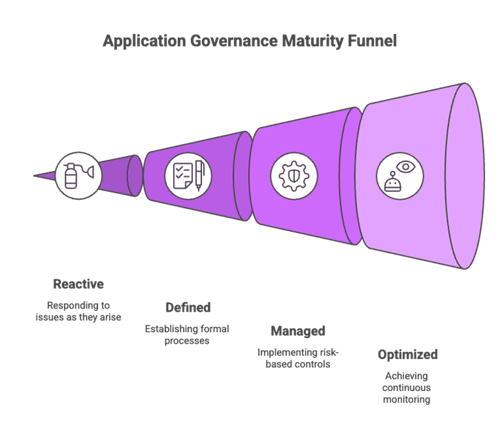
We framed this as a maturity model with four stages:
- Reactive – You respond when something breaks or an auditor asks. Apps get registered by anyone; there’s no formal intake process.
- Defined – You have a documented process for app onboarding and offboarding, and someone is clearly “on point” for app governance.
- Managed – Risk‑based approval, regular reviews, and established roles across identity, security, and business owners.
- Optimized – Continuous monitoring, automated controls, and integration with your broader SecOps and compliance tooling.
Most organizations we talk to sit between Reactive and Defined. Moving to Managed doesn’t require a huge program, but it does require a few hard decisions.
Locking down application registration and consent
One of the most impactful governance moves is also the most uncomfortable: taking away "everyone can register apps” as a default.
We covered a common pattern:
- Disable user app registration for the general population.
- Allow registration only for specific roles (central IT, vetted dev teams).
- Introduce an intake workflow where business units can request an app, specify its purpose, and nominate an owner.
In parallel, you need to tighten consent:
- Require admin consent for high‑risk or broad permissions.
- Block or heavily scrutinize unverified publishers.
- Route consent requests through a structured workflow that includes security review for high‑impact apps.
We walked through a real‑world scenario where a finance team had unknowingly consented to a third‑party reporting app with read access to all mailbox data. The app wasn’t malicious, but it granted far more access than was needed for its use case. With even a basic consent policy and review workflow in place, that misalignment would have been caught early.
Federated governance, not a central bottleneck
A recurring theme in the Q&A was: “How do we do this without becoming the department of ‘no’?”
The answer is a federated governance model:
- Identity team: defines standards and ensures protocol‑level security (OAuth flows, token configuration, legacy auth deprecation).
- Security team: defines risk thresholds, monitors for abuse, and approves high‑risk requests.
- Business units/app owners: accountable for why the app exists, what data it touches, and who should have access.
- IT operations: handles lifecycle tasks – onboarding, changes, decommissioning.
The central teams own the guardrails, while app owners own the day‑to‑day responsibility.
Phase 3: Least privilege for Microsoft Entra ID Applications – every permission is a potential breach
With governance patterns in place, you can start addressing the core technical risk: excessive permissions.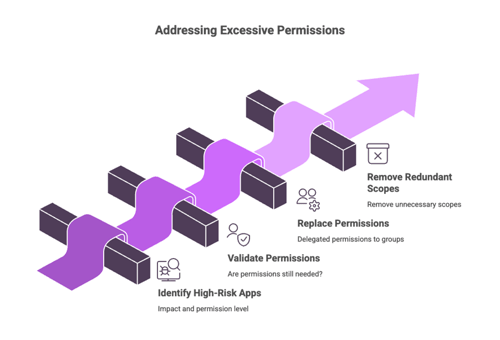
In the webinar, we used a simple framework:
- Identify your top 50–100 highest‑risk apps by impact and permission level.
- For each one, validate:
- Are its permissions still needed?
- Could any application permissions be replaced with delegated permissions tied to a smaller, controlled group?
- Are there redundant scopes that could be removed?
We highlighted a few permission types that consistently stand out as dangerous in real tenants:
- Directory‑wide permissions such as directory read/write
- Mail and file read/write across the entire tenant
- Long‑lived refresh tokens that enable persistence far beyond the original session
A real‑world case from the field: a line‑of‑business integration had directory‑wide write access because “it was easier when we first set it up.” No one revisited the permission after go‑live. When a developer account associated with that integration was compromised, the attacker had a ready‑made path to modify directory objects. The breach was contained, but primarily because the integration wasn’t used as heavily as expected. In a more active environment, that same pattern could have led to large‑scale account takeover.
On the credential side, we emphasized:
- Preferring certificates over client secrets.
- Enforcing short lifetimes and proactive monitoring for expiring credentials.
- Removing unused credentials as part of routine housekeeping, not emergency response.
It’s not glamorous work, but every over‑privileged app you right‑size materially shrinks your blast radius.
Phase 4: Automation – because manual doesn’t scale
Once you’ve established patterns for inventory, governance, and least privilege, the only sustainable way forward is automation.
The core idea: treat application security signals like any other security telemetry. If you’re already investing in SIEM, SOAR, or native alerting, your application estate should feed into that.
We discussed several automation patterns participants had success with:
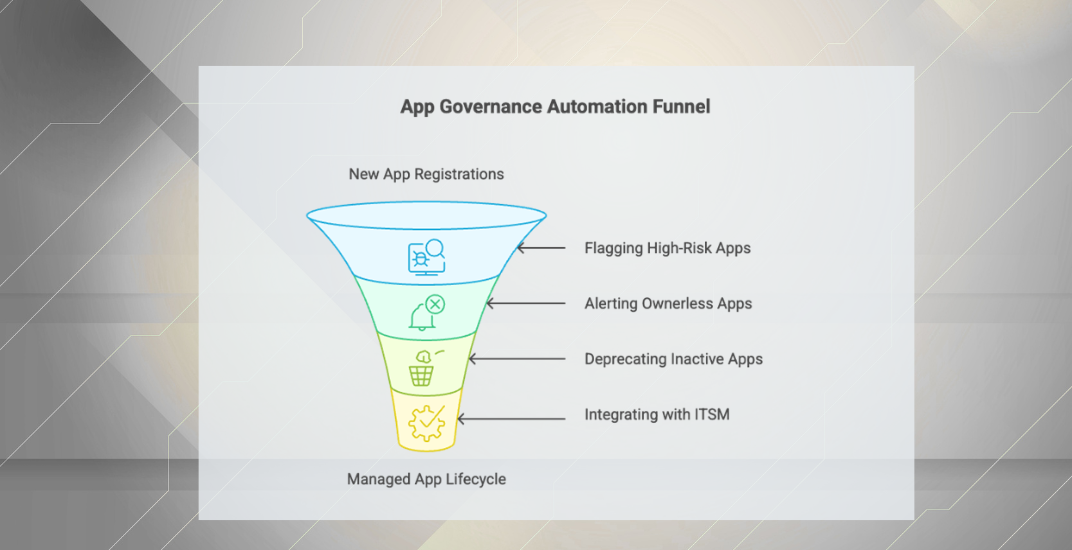
- Automatically flagging new app registrations and high‑risk consent grants for review.
- Alerting when an app becomes “ownerless” (e.g., the owner leaves the company).
- Identifying apps with no sign‑ins for a defined period and placing them into a deprecation workflow.
- Tying app lifecycle events (creation, change of ownership, decommissioning) into your ITSM system so they’re tracked like other critical assets.
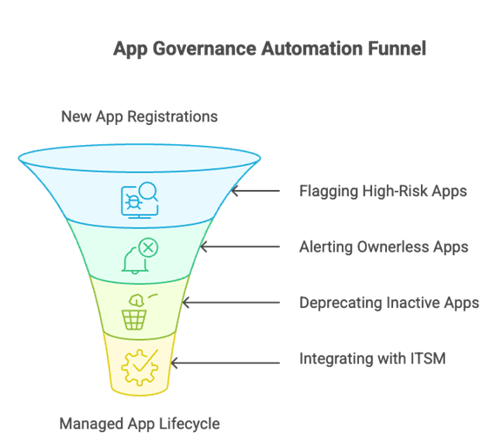
One attendee shared how they integrated app inventory with their CMDB. When a business unit requested a new integration, the workflow automatically: created an entry in the CMDB, enforced owner assignment, and set review reminders at 90‑day intervals. That didn’t eliminate all risk, but it meant no new app could quietly appear without an audit trail and a responsible owner.
Where native controls stop short
We also had an honest segment on the limitations of native controls.
Entra ID provides powerful building blocks – strong authentication, conditional access, consent policies, audit logs, and identity protection. But there are gaps when you try to build a comprehensive application security program solely on those primitives:
- There’s no native, opinionated app risk score that combines permissions, usage, and business context.
- Usage analytics for permissions are improving, but not yet rich enough to answer nuanced questions like “Which apps have powerful permissions they aren’t actually using?”
- Cross‑application reporting for compliance (e.g., “Show all apps touching payroll data across our three tenants”) is manual and piecemeal.
- Integration with ITSM and governance workflows often requires custom glue.
For some organizations – especially multi‑tenant, regulated, or very large environments – that’s where specialized application governance tools can provide measurable value. They don’t replace Entra ID; they wrap it with a layer of context, analytics, and automation that would otherwise require substantial custom development.
The key takeaway here was not “you must buy something,” but “be clear‑eyed about what you’ll need to build or script if you don’t.”
A realistic 45‑day roadmap
We closed the webinar by mapping the theory into a 45‑day execution plan. The idea wasn’t to solve everything in three months, but to change your trajectory.
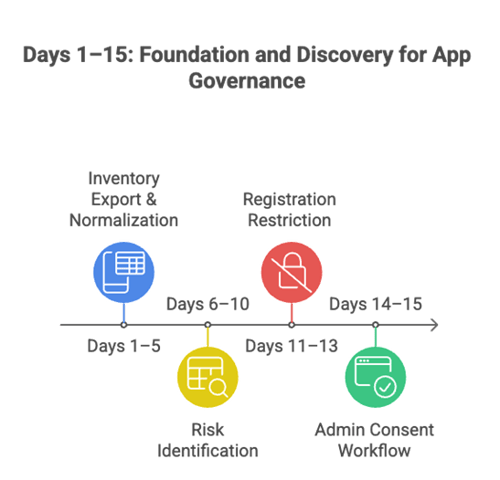
Days 1–15: Foundation and discovery
- Export your application inventory and normalize it into a single view.
- Identify orphaned apps and the most obviously risky permission sets.
- Restrict who can register apps going forward.
- Turn on and configure admin consent workflows.
At the end of this phase, you should know roughly how “bad” things are and have stopped the worst of the sprawl.
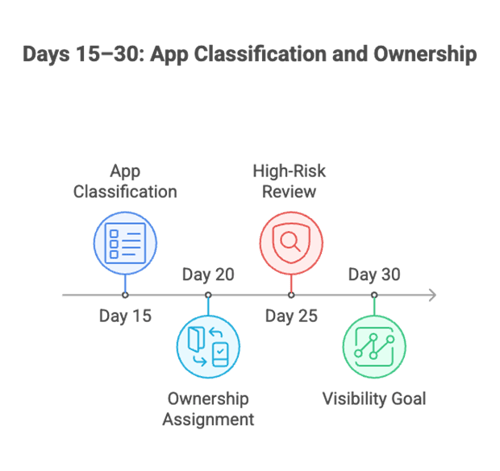
Days 15–30: Classification and ownership
- Classify apps by business criticality and data access.
- Assign owners to all active applications, escalating where ownership is unclear.
- Start a focused review of your highest‑risk apps, particularly those with tenant‑wide permissions.
- Implement basic monitoring for new app registrations and consent grants.
By day 30, your goal is to have every important app owned, understood, and visible, even if it isn’t yet fully right‑sized.
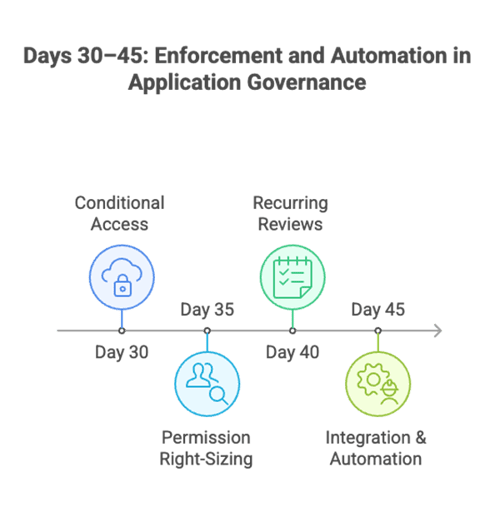
Days 30–45: Enforcement and automation
- Introduce Conditional Access and other controls for sensitive applications and workload identities.
- Begin systematic permission right‑sizing, starting with the top 10–20 risky apps.
- Schedule recurring access and permission reviews as a formal process.
- Integrate application signals into your existing monitoring and ticketing flows.
You won’t be “done” at day 45, but you will have a repeatable program instead of a series of one‑off fire drills.
Final thoughts: from awareness to execution
Most organizations are already convinced that Entra ID application risk is real. The blocker isn’t awareness; it’s execution. The roadmap we covered in the webinar – Visibility → Governance → Least Privilege → Automation – is designed to respect how business actually works:
- It doesn’t assume you can pause app delivery while you clean up.
- It spreads responsibility between central teams and app owners.
- It emphasizes incremental, measurable progress over “big bang” transformations.
If you’re responsible for the health and security of your Entra ID environment, your job isn’t to say “no” to applications. Your job is to make sure every application in your tenant has a clear purpose, a responsible owner, and just enough privilege to do its job – no more, no less.
Start with what you can see today. Make ownership non‑negotiable. Tackle the top risks first. Then let automation do the heavy lifting. Over time, you’ll find that the same practices that reduce your attack surface also make your environment easier to operate, easier to audit, and easier to trust.
If you want to understand what your Entra ID application estate actually looks like today, start by measuring it.
Run an Entra ID application governance assessment with AppGov Score to identify orphaned applications, high-risk permissions, credential management gaps, and ownership inconsistencies across your tenant. It provides a quick baseline so you can prioritize the cleanup and governance steps outlined in this roadmap.

Written by Alistair Pugin
M365 + Security MVP | Blogger | Podcaster | Speaker | Founder, CEO - YModernize
Alistair has worked in various capacities in multiple verticals from retail-manufacturing to government, spanning 50 to 50000 users utilizing all aspects of pure Enterprise Information Management.
Specialties: 20+ years pure IT, 16 years ECM, Livelink, Zylab, SharePoint, FileNet, etc. IT Pro dabbling in Dev, ECM Consultant, Suffering from Technophilia. Technology Architect specializing in Business Productivity Enrichment.