
Member, Guest, and Wrong: Classifying Entra Users the Practical Way
May 7, 2026 •Nicolas Blank
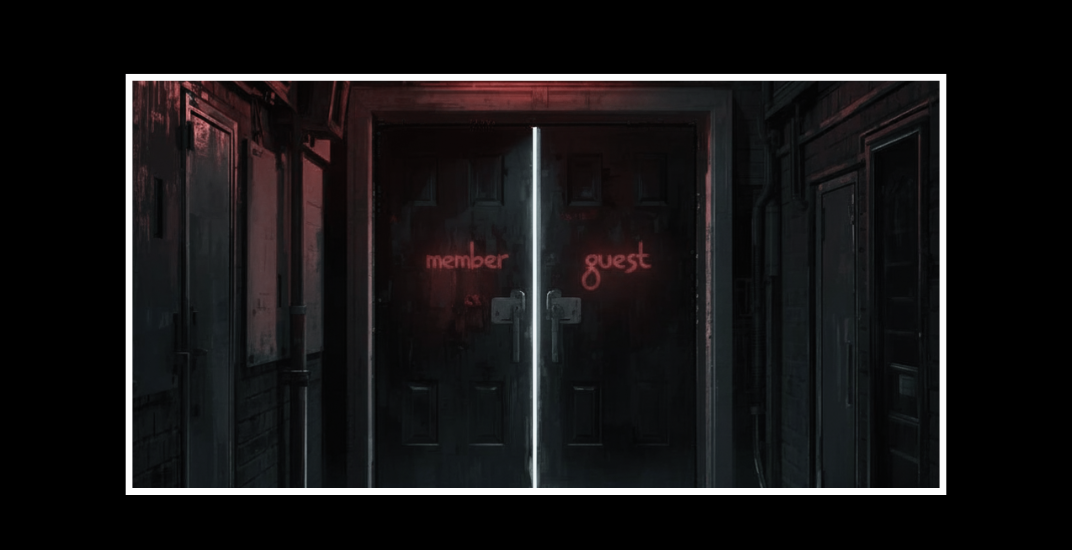
The report that is nearly right...
Governance starts with understanding what you have and trying to understand why it is there before making a change. Most security work begins in much the same place. Before you can make a sensible decision about access, you need an inventory that provides useful information about the environment you are dealing with. Human identities in Microsoft Entra make that harder than it first appears, because there is more than one way to report on them and more than one way to understand what you are looking at.
In this article, we’re going to explore what we think we’re seeing regarding user reporting, versus what the reality is in your tenant.
There is a particular kind of confidence that creeps into identity reporting once somebody has found a property that looks as though it solves the problem of reporting accurately. In Microsoft Entra, that property is often userType!
If the object is a Member, it gets treated as internal. If it is a Guest, it gets treated as external.
The logic is deceivingly simple, quick to script, and can survive far longer than it should in exports, tenant reviews, migration planning, and various internal reporting that we need to do. The difficulty is that the report is often only nearly right, because it gives you just enough confidence to assume it is telling you the whole truth about your directory.
Then you hit the first object that does not fit the story the report is trying to tell. A Member turns out to be externally backed. A Guest turns out to authenticate locally. A user object that looks straightforward on the surface starts showing traces of invitation flows, synchronisation history, or conversion work that changed what the object actually represents.
That is usually the point where the report stops being a tidy summary and starts becoming something you cannot trust without asking a better question.
Directories drift because… we use them
Directories do not stay neat for the simple reason that people keep using them. They get extended, integrated, migrated, synced, invited into, collaborated across, cleaned up a bit, and then left alone again while administrators' lives happen. Over time, that leaves a tenant with history, and history has a habit of showing up in object state. The problem is not that Entra is being inconsistent. The problem is that most environments stop matching our simplified mental model long before the reporting catches up.
That is why this subject is worth a bit of wrestling. If you are trying to understand why a user or guest is in your directory, whether the account is genuinely internal, or whether the object is really what the label suggests, you do sometimes have to push past the first answer. That is not overcomplicating the matter. It is simply what is required if you want the reporting to be useful rather than merely convenient.
Are we asking the right questions?
The question people are usually trying to answer is not simply how the object is labelled in the tenant. They are trying to understand what the account actually is, where the identity behind it comes from, and why it exists in the directory in the first place. Those are not the same question, and Entra does not pretend that they are.
A user can be external in origin and still be treated as a Member in the host tenant. A user can authenticate against the host tenant and still be marked as a Guest. An object can also carry traces of how it was created, invited, synced, or converted over time, which means that if you only look at the most obvious field, you end up with a report that is tidy in exactly the way real directories are not. That is usually the point where we stop admiring the seemingly accurate CSV and start wrestling with what story the objects are really telling.
That wrestling is not wasted effort. In practice, it is often the only way to get to the real picture behind the account sitting in your directory. If you are trying to understand whether a user is genuinely internal, whether a guest is really an external collaboration account, whether a member account is actually backed by another tenant, or whether a historical conversion has changed the object’s meaning, you have to be willing to look past the most convenient answer. The reason for doing that is not to make the reporting more academic. It is to make it useful. A classification model only works if it helps you explain why this user is here, what kind of identity it really represents, and whether the surrounding assumptions in your tenant are correct. That is where Microsoft Graph becomes particularly useful, because once you stop expecting userType to answer every question on its own, the rest of the object starts to make far more sense.
userType is true but it’s not the whole truth
The practical mistake is not that people use userType. They should. The mistake is treating it as if it is the whole truth instead of being part of the truth.
In reality, userType tells you how the object is treated in the host tenant. It says something about the relationship the tenant has with that account, but it does not reliably tell you where the sign-in authority sits, whether it came in through a B2B invitation flow, whether it signs in locally, or whether it has changed shape over time.
If you want to know those things, the property that usually matters more than people think is identities. That is where you start to see the user’s sign-in identities and primary identity provider. In many cases, that lets you distinguish host-tenant sign-in from an external Entra tenant, a Microsoft account, a social identity provider, mail, or some other issuer altogether. The important caveat is that identities still has to be interpreted in context. Microsoft documents cases where invited external users can temporarily show the host domain before redemption, and cases where external users can authenticate with internal credentials. Once you treat identities as a strong signal rather than an infallible verdict, the rest of the logic becomes much more straightforward, because you stop asking one field to answer two different questions.
The properties that tell all?
There are a handful of supporting properties that help round out the picture. creationType is useful because Invitation often points to a B2B-style path into the tenant, although it is supporting evidence rather than a final answer. externalUserState can tell you whether an invited external user is still pending acceptance or has already redeemed the invitation, which is helpful when you are dealing with collaboration objects. onPremisesSyncEnabled helps you distinguish hybrid users from cloud-only ones, which matters when you are trying to understand how an apparently internal account is actually anchored.
Even userPrincipalName has some limited value, especially where #EXT# appears, but that should remain what it is: a clue, not the whole truth. The moment your classification logic starts depending on UPN decoration rather than on identity backing, you are already slipping back into assumptions.
The object types worth wrestling with
If you approach the problem properly, the object patterns in Entra become easier to reason about. An Internal Member is the normal workforce account most teams expect to find. If userType is Member, the identities point to the host tenant, and the account may be synced from on-premises Active Directory or may be cloud-only. A B2B Guest is the familiar external collaboration object. userType is Guest, the identities often show an external issuer after redemption, creationTypmay show Invitation, and externalUserState may be populated.
A B2B Member is where simplistic reporting usually starts to wobble.
The identity is external in origin, but the host tenant treats the object as a Member. That matters a great deal in the real world, because operationally it is not the same thing as an Internal Member, even though they share the same userType. Then there is the Internal Guest, which is unusual but entirely possible: a host-tenant account that is marked as Guest. That tends to surprise people because it cuts directly across the assumption that Guest must mean external. It does not.
Converted accounts make things more interesting again. Microsoft distinguishes between changing userType and converting an external user to an internal user. Those are not the same operation, and they do not mean the same thing. If an account was previously external but is now backed by the host tenant and signs in as an internal identity, then operationally you should treat it as an internal account, not as a B2B object that happens to have had a label changed. This is one of the reasons directory history matters. Objects are not just what they look like today; they are also the result of how they got there. A good classification model does not obsess over history for its own sake, but it does leave room for the fact that historical paths can explain why an account looks odd in the present.
Making it practical
Once you accept that, the solution becomes much less mysterious. The safest way to classify Entra users is to take userType as the answer to one question and identities as a strong signal for another. First determine how the tenant treats the object by looking at userType. Then look at identities to understand the sign-in pattern or issuer being presented. After that, use creationType, externalUserState, and onPremisesSyncEnabled as supporting evidence that helps you decide whether the object fits the expected pattern or whether it needs closer review. It is a much more defensible way to work because it reflects the way Entra actually models these accounts instead of forcing everything into the two buckets people wish were enough.
In practical terms, the logic is not especially complicated.
- If userType is Member and the identities point clearly to the host tenant, classify the account as Internal Member.
- If userType is Member and the identities point to an external issuer, classify it as B2B Member.
- If userType is Guest and the identities are clearly external, classify it as B2B Guest.
- If userTypeis Guest and the identities point to the host tenant, do not jump straight to Internal Guest until you have ruled out a pending or invitation-based external object.
If the identities are missing or ambiguous, that is where the supporting properties come in. Invitation and a populated externalUserState make a B2B interpretation more likely. The absence of those signals does not prove that an account is internal, but it does tell you that you are missing one of the common indicators associated with invited external objects.
The important point is not to force certainty where the evidence does not support it. In real directories there is nothing wrong with returning a result such as Likely B2B Member or Uncertain Guest if that is what the data justifies.
PowerShell helps you prove the point
This is also the point where a PowerShell script becomes genuinely useful, because the goal is not just to understand the logic in theory. The goal is to inventory the tenant in a way that helps you explain what is actually in front of you. A good starting point is a Graph query that retrieves the properties that matter rather than only the properties that look convenient.
Connect-MgGraph -Scopes "User.Read.All","Directory.Read.All"
$properties = @(
'id',
'displayName',
'userPrincipalName',
'userType',
'creationType',
'externalUserState',
'onPremisesSyncEnabled',
'identities'
)
$users = Get-MgUser -All -Property $properties
Once you have that inventory, the next step is to decide what counts as internal for your tenant. That usually means the verified primary domains, the tenant’s onmicrosoft.com domain, and any other internal sign-in domains that should be treated as host-tenant identities. From there you can build two helper functions: one to interpret the identity signal, and another to classify the user object itself.
function Get-IdentitySignal {
param(
[object[]]$Identities,
[string[]]$HostDomains
)
if (-not $Identities -or $Identities.Count -eq 0) {
return 'Unknown'
}
$knownExternalIssuers = @(
'google.com',
'facebook.com',
'live.com'
)
foreach ($identity in $Identities) {
$issuer = $identity.Issuer
if ([string]::IsNullOrWhiteSpace($issuer)) {
continue
}
if ($HostDomains -contains $issuer) {
continue
}
if ($knownExternalIssuers -contains $issuer -or $issuer -match '^https?://' -or $issuer -match '\.') {
return 'External'
}
}
return 'Host'
}
function Get-EntraObjectClassification {
param(
[object]$User,
[string[]]$HostDomains
)
$identitySignal = Get-IdentitySignal -Identities $User.Identities -HostDomains $HostDomains
$hasInvitationEvidence = $User.CreationType -eq 'Invitation' -or $null -ne $User.ExternalUserState
switch ($User.UserType) {
'Member' {
if ($identitySignal -eq 'External') { return 'B2B Member' }
elseif ($identitySignal -eq 'Host' -and -not $hasInvitationEvidence) { return 'Internal Member' }
elseif ($hasInvitationEvidence) { return 'Likely B2B Member' }
else { return 'Uncertain Member' }
}
'Guest' {
if ($identitySignal -eq 'External') { return 'B2B Guest' }
elseif ($hasInvitationEvidence) { return 'Likely B2B Guest' }
elseif ($identitySignal -eq 'Host') { return 'Internal Guest' }
else { return 'Uncertain Guest' }
}
default {
return 'Unknown'
}
}
}
From there, the rest of the reporting is straightforward. You classify each user, flatten the identities into something readable, and export the results for review. This is where the exercise stops being abstract and starts becoming helpful, because now you can sort by classification, isolate the B2B Members that would otherwise be buried among ordinary Members, investigate Guests that appear to be host-tenant accounts, and identify objects that need manual review because the evidence is incomplete. That may not be as straightforward as it reads, but bear with me.
That is also the point where a script helps you prove what the tenant has in it. The report is no longer just nearly right. It starts becoming useful in the way we actually need it to be useful: as something that can help explain why the object is there and whether the assumptions around it were sound in the first place.
$hostDomains = @(
'contoso.com',
'contoso.onmicrosoft.com'
)
$results = foreach ($user in $users) {
[pscustomobject]@{
DisplayName = $user.DisplayName
UserPrincipalName = $user.UserPrincipalName
UserType = $user.UserType
CreationType = $user.CreationType
ExternalUserState = $user.ExternalUserState
OnPremisesSyncEnabled = $user.OnPremisesSyncEnabled
Classification = Get-EntraObjectClassification -User $user -HostDomains $hostDomains
Identities = ($user.Identities | ForEach-Object {
if ($_.IssuerAssignedId) {
"$($_.SignInType)|$($_.Issuer)|$($_.IssuerAssignedId)"
}
else {
"$($_.SignInType)|$($_.Issuer)"
}
}) -join '; '
}
}
$results | Sort-Object Classification, DisplayName | Export-Csv -Path .\entra-user-classification.csv -NoTypeInformation -Encoding UTF8
Watch out for…
There are a few traps worth calling out because they are the ones that keep turning up in real work. The first is assuming that Member means internal. It does not. A B2B Member will make that obvious very quickly. The second is assuming that Guest means external. That is also not reliable. The third is leaning too heavily on #EXT# in the UPN, which is useful as a clue but not nearly good enough as the basis for a classification model. The fourth is trusting creationType = Invitation or a populated externalUserState as if either of them can settle the matter on their own. They help. They do not decide. The fifth is pretending that ambiguity is a failure. In large, old, or heavily used tenants, ambiguity is often part of the truth. Good tooling should tolerate that instead of hiding it. Which is an amazing segue for the sixth trap.
The sixth, which only surfaces when you run this against a tenant with some history, is that userType can be null. It is not always Member or Guest. In environments with a long on-premises synchronisation history you will find objects where the field was simply never set — legacy service accounts, SharePoint farm identities, infrastructure accounts from an era before userType was routinely populated. Entra does not backfill it. The classification model correctly returns Unknown for these, and that is the right response. Forcing them into Member or Guest would be wrong.
What they need instead is a separate pass: pull them out of the export, read the display names and UPNs, and ask whether the account still serves a purpose. Names like WSSFarm or LocalSystem tend to answer that question immediately. For anything less obvious, check signInActivity to see whether the account is still active, and check onPremisesSyncEnabled to confirm whether it is still being driven from on-premises AD — which would mean the conversation belongs at source rather than in Entra directly. Unknown is not a failure in the model. It is the model being honest that the object sits outside its assumptions, and that honesty is worth more than a classification that looks tidy but means nothing.
What’s the label got to do with it?
The broader point here is that object classification in Entra is not only an exercise in labeling. It is often an exercise in understanding what the directory is trying to tell you about how your tenant has been used. Sometimes the right answer is straightforward. Sometimes it takes a bit of wrestling with object types and identity backing before the actual picture becomes clear. That is not a sign that the model is broken. It is a sign that the directory contains history, and that if you want your reporting to be worth anything, you have to be willing to wrestle with that history.
The practical takeaway from all of this is that you should stop treating userType as if it tells the whole story. Use it for what it is good at. Pair it with identities to understand the sign-in pattern the account presents. Bring in creationType, externalUserState, and onPremisesSyncEnabled where they help. Leave room for uncertainty where the evidence is incomplete. Most importantly, stay curious enough to ask the extra question when an object does not fit the neat version of the directory you were hoping to find. That is usually where the real answer is. Try running the script at the end of this article to see what’s really lurking in your tenant.
The complete script is published at https://github.com/nicolasblank/entra-user-classification as a single, ready-to-run file. It connects to Microsoft Graph, derives the host domains automatically from the tenant's verified domains, classifies every user object, and exports the results to a CSV alongside the raw identity strings for review.
Whether reviewing user governance or application governance in Entra ID, starting with an inventory is important to understand what you have in your Entra tenant - both as it appears, and what it really shows when you dig even deeper! To start your user inventory, check out Nic's script above.
Need an inventory of your applications in Entra ID?
Request your ENow AppGov Score to get the overall benchmark report, and upgrade to our Standard Tier for 7 days to see the fuller picture of your application governance inventory.

Written by Nicolas Blank
Nicolas is the founder, as well an architect, author and speaker focused on Office 365 and Azure at NBConsult. Nicolas is a Microsoft Certified Master for Exchange and Office 365, Microsoft MVP (Most Valuable Professional) for Microsoft Office Apps and Services since March 2007. Nicolas has co-authored “Microsoft Exchange Server 2013: Design, Deploy and Deliver an Enterprise Messaging Solution”, published by Sybex.