
How to Offboard Service Principals and Vendor Applications in Microsoft Entra ID
June 25, 2026 •Sean Hurley
What Is Application Offboarding?
Offboarding is the deliberate, controlled retirement of an application identity,an app registration, an enterprise application, or a service principal, together with all of its access, credentials, and integrations.
It is the bookend to onboarding and, like onboarding, belongs to the application’s owner. Deleting the app object in the portal is the last and smallest step; the real work is everything that has to be unwound first.
From the owner’s seat, offboarding is an accountability question. You sponsored the application, you owned its access while it ran, and you own its safe removal when it is no longer needed. An app that is abandoned rather than offboarded does not disappear; it becomes someone else’s incident.
Why Application Offboarding Matters: The Cost of Skipping It
Skipping offboarding doesn’t save work; it defers it and compounds the risk. The business implications of leaving applications to rot:
- Standing attack surface. A retired-but-not-removed app keeps its permissions and credentials. Over-privileged, ownerless apps with valid secrets are a favorite target. These are the same tenant-wide Mail.* and directory grants that are scrutinized at onboarding.
- Credentials that never die. Secrets and certificates that outlive their purpose are persistently waiting to happen, with no one rotating or watching them.
- Compliance and audit exposure. Orphaned identities and stale access fail access reviews and audits, and erode any least-privilege story you’re trying to tell.
- Downstream wreckage. Apps that provisioned users or groups via SCIM, or that hold federation trusts, leave orphaned accounts and broken trust relationships behind when abandoned.
- Cost and clutter. Unreclaimed licenses, certificate sprawl, and background noise that make the genuine risks harder to see.
The recurring pattern is familiar: an app no one remembers owning, holding permissions no one can justify, and surfacing only when it is abused or flagged in an audit. Disciplined offboarding is how you keep that app from ever existing.
Application Offboarding Approvals: Who Should Be Involved?
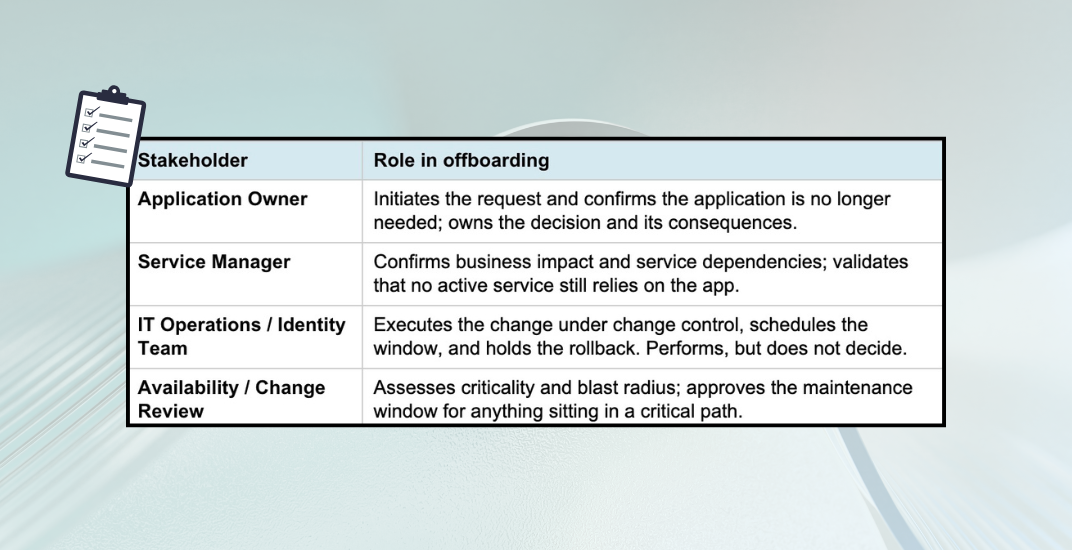
Offboarding needs governance just as much as onboarding. You cannot simply pull an application out of production. Removing access can break a live business process as surely as granting it can expose one. The owner drives the decision, but several stakeholders should sign off before anything is touched.
|
Stakeholder |
Role in Offboarding |
|
Initiate the request and confirm the application is no longer needed; own the decision and its consequences. |
|
|
Service Manager |
Confirm business impact and service dependencies; validate that no active service still relies on the app. |
|
IT Operations / Identity Team |
Execute the change under change control, schedule the window, and hold the rollback. Perform actions, but do not decide. |
|
Availability / Change Review |
Assess criticality and blast radius; approve the maintenance window for anything sitting in a critical path. |
The availability question is the one most often skipped. Before anything is disabled, confirm whether the application sits in a critical path: a production integration, an authentication dependency, or a scheduled job that other systems rely on. Anything critical gets a maintenance window, a communicated change, and a tested rollback before execution, not after.
Pre-Offboarding Checklist: Considerations Before You Act
- Confirm it’s actually idle. Verify with sign-in logs and Microsoft Graph activity logs that the app and its service principal are genuinely unused. Assumptions are how outages happen.
- Map the blast radius. Enumerate every dependency the app has and every consumer that depends on it before you remove anything.
- Honor data obligations. If the app owns or holds data subject to retention, export or preserve that data before decommissioning.
- Pick the window. Schedule disable and delete steps for a low-impact window, with stakeholders notified in advance.
- Disable first, delete later. Favor a staged approach over an immediate, irreversible delete.
How to Offboard a Service Principal and Application Safely: Step-by-Step
The safest pattern is a graceful, staged decommission rather than an immediate delete:
- Revoke or rotate credentials so the app can no longer authenticate, while the objects themselves remain in place for rollback.
- Disable sign-in on the service principal (and block the application) to simulate removal without destroying anything.
- Observe through a defined soak period, watching logs for failures in dependent systems.
- Delete the application and service principal once the soak period is clean.
Microsoft Entra ID keeps deleted app registrations recoverable for 30 days, providing a genuine safety net. However, this should be treated as a backstop rather than the plan. Capture the configuration before deletion so you can redeploy deliberately if needed, rather than racing a recovery window.
💡 Quick Answer: To offboard a vendor application and service principal in Microsoft Entra ID, (1) revoke credentials, (2) disable sign-in on service principal and block the application, (3) observe a waiting period, then (4) delete the app registration. Always capture configuration first and resolve SCIM, Conditional Access, and federation dependencies before deletion.
Technical Requirements for a Clean Offboard
Executing offboarding cleanly is mostly discipline and dependency cleanup. Four requirements anchor the work:
- Rollback process. Define exactly how you reverse each step: re-enable the service principal, restore it from soft-delete within the 30-day window, or redeploy from captured configuration or infrastructure-as-code. A rollback you haven’t written down is not a rollback.
- Documentation. Record what was removed, when, by whom, under which approval and change ticket, and the rollback steps. Update the CMDB and formally close the ownership record.
- Execution Plan. Execution belongs to IT Operations or the identity team under change control, separate from the owner who requests it. The owner approves; operations perform.
- Automation. Detection and orchestration can be automated. A platform such as ENow’s App Governance Accelerator can surface stale, ownerless, or expired-credential apps as offboarding candidates, drive the approval workflow, and produce the auditable trail that ties the decision to the executed change.
The application objects themselves are the easy part. The upstream and downstream entanglements are what get missed, and what cause the incidents. Resolve each of these before the identity is removed:
|
Dependency |
What Must Be Resolved |
|
Credentials |
Revoke and remove client secrets and certificates; purge them from Key Vault and any pipeline secret stores. |
|
Permissions & Consent |
Remove app role assignments, OAuth2 permission grants, and admin consent; remove any Exchange RBAC assignments or legacy Application Access Policies. |
|
SCIM Provisioning |
Disable the provisioning job and deprovision the accounts and groups the app created downstream, so you don’t strand orphaned identities in target systems. |
|
Remove the app from CA policy assignments and exclusions; retire any named locations or authentication contexts created for it. |
|
|
Federation / SSO |
Remove the SAML/OIDC trust, reply URLs, and claims mappings; notify the relying party that the integration is ending. |
|
Upstream Authorization |
Resolve IdP rules, API gateway or application-proxy entries, allow-lists, firewall rules, and DNS records that reference the app. |
|
Downstream Consumers |
Identify automation, webhooks, and APIs that call (or are called by) the app, and notify their owners before removal. |
|
Licensing & Monitoring |
Reclaim licenses; remove or repurpose SIEM alerts tied to the app while retaining its audit logs per your retention policy. |
How to Build an Application Offboarding Policy
Everything above only happens consistently if it is written down and followed. The way to manage offboarding at scale is to make it a defined stage of your application lifecycle policy. Ideally, it is part of the same policy that governs onboarding, since the two are at opposite ends of one lifecycle. A policy turns a heroic, owner-by-owner effort into a repeatable, auditable process that doesn’t depend on anyone remembering to do it.
At a minimum, the policy should specify:
- Offboarding triggers. The events that require offboarding: the app is no longer used, the owner leaves the organization, a project or vendor contract ends, credentials lapse without renewal, or the app fails a periodic recertification.
- Mandatory approvals. Who must sign off (owner, service manager, IT operations, and availability review), and the change-control path each retirement follows.
- A required cleanup checklist. The upstream and downstream items are codified so that none is left to memory.
- Rollback and documentation standards. A captured configuration and a written rollback before any deletion, plus a recorded action with approvals, a change ticket, and CMDB closure.
- Ownership-transfer rules. What happens when an owner/sponsor departs? You can reassign or offboard, but you should avoid keeping an app without a continuing owner/stakeholder. This is the single most common source of orphaned applications.
- Completion SLAs. How quickly must offboarding finish once triggered, so retirements don’t stall half-done with access still live?
- Recertification cadence. A periodic access review that actively surfaces offboarding candidates, rather than waiting for an incident or audit to find them.
Fold these into the existing onboarding policy rather than writing a separate document. Onboarding admits an application and assigns its owner; offboarding is that same policy honoring the commitment that every identity it admits will eventually be retired cleanly. Managed together, the lifecycle has no loose ends.
Offboarding Process: Recommendations Summary
Follow these best practices to ensure every application and service principal retirement is clean, auditable, and reversible:
- Codify offboarding in your application lifecycle policy. This should be the same policy that governs onboarding, so retirement is required and repeatable, not improvised.
- Treat offboarding as a planned lifecycle stage owned by the application owner, not an afterthought triggered by an audit finding.
- Disable before you delete and verify inactivity with sign-in and Graph activity logs first.
- Capture full configuration before removal so rollback is real, rather than theoretical.
- Map and resolve upstream/downstream dependencies, including SCIM, Conditional Access, federation, and upstream authorization, before pulling the identity.
- Run it under change control with explicit approvals from the owner, service manager, IT operations, and availability review.
- Automate detection and workflow (for example, with ENow App Governance Accelerator) and keep an auditable trail of every retirement.
Strengthening Offboarding with Continuous App Governance Visibility
Offboarding decisions are only as strong as the visibility you have into your application estate. In most environments, the challenge isn’t the removal step itself; it’s identifying which service principals and vendor applications are stale, over-permissioned, or no longer aligned to business ownership in the first place.
This is where ongoing application governance becomes critical. ENow’s App Governance Accelerator and AppGov Score help organizations continuously assess application risk across Microsoft Entra ID by surfacing:
- Stale or abandoned service principals that are candidates for offboarding
- Over-privileged applications with excessive permissions or consent scope
- Orphaned apps with missing or unclear ownership
- Expired or unused credentials that still present an attack surface
- Governance gaps that increase audit and compliance exposure
By translating this visibility into a measurable score, AppGov Score gives IT and security teams a clear, prioritized view of which applications should be reviewed, remediated, or formally offboarded through the lifecycle process outlined above.
Instead of discovering orphaned applications during an audit or incident, organizations can proactively identify offboarding candidates and route them through governed change control before they become risk events.
Frequently Asked Questions: Service Principal and Vendor Application Offboarding in Microsoft Entra ID
What is the difference between an app registration and a service principal in Entra ID?
An app registration is the global definition of an application stored in the home tenant. A service principal is the local instance of that application in a specific tenant; the object that holds permissions, credentials, and sign-in behavior. Offboarding requires removing both the service principal in all tenants where it was instantiated and the app registration in the home tenant.
How long are deleted app registrations recoverable in Microsoft Entra ID?
Microsoft Entra ID retains soft-deleted app registrations for 30 days. After that window, the deletion is permanent. Always capture the configuration before deletion. The 30-day window is a backstop, not a plan.
What happens to SCIM-provisioned accounts when a service principal is offboarded?
If the provisioning job is not cleanly disabled before the service principal is removed, downstream accounts and groups created by the app remain in target systems as orphaned identities. Best practice is to disable the SCIM provisioning job, review and deprovision those downstream objects, and then proceed with service principal removal.
Who is responsible for offboarding an application in Microsoft Entra ID?
It can vary depending on the organization’s size and policy, but it’s often the application’s business sponsor that is responsible for initiating and owning the offboarding decision. In a larger organization, you may have more dedicated roles in the process. For example, the IT Operations or the identity team executes the change under change control. The service manager confirms business dependencies, and the availability or change review board approves the maintenance window. IT Operations performs the actions; the application owner decides.
What is an orphaned service principal?
An orphaned service principal is an application identity in Microsoft Entra ID that has no active owner, is no longer used for a business purpose, or has expired credentials, yet remains in the tenant with permissions intact. Orphaned service principals are a significant security risk because they hold access that no one is monitoring or rotating. Tools like ENow’s App Governance Accelerator surface these as offboarding candidates.

Written by Sean Hurley
Sean Hurley is a Principal Technology Engineer with more than 25 years of experience designing, securing, and operating enterprise Microsoft environments. Throughout his career, he has led large-scale initiatives spanning Microsoft 365, Exchange, Active Directory, Entra ID, identity management, security, and highly available infrastructure for global organizations. Sean specializes in helping IT teams improve operational resilience, strengthen security, and successfully bridge on-premises and cloud technologies.