
Credential Chaos to Control: How to Manage Entra ID Application Credentials Before Your Next Outage
July 24, 2026 •Alistair Pugin
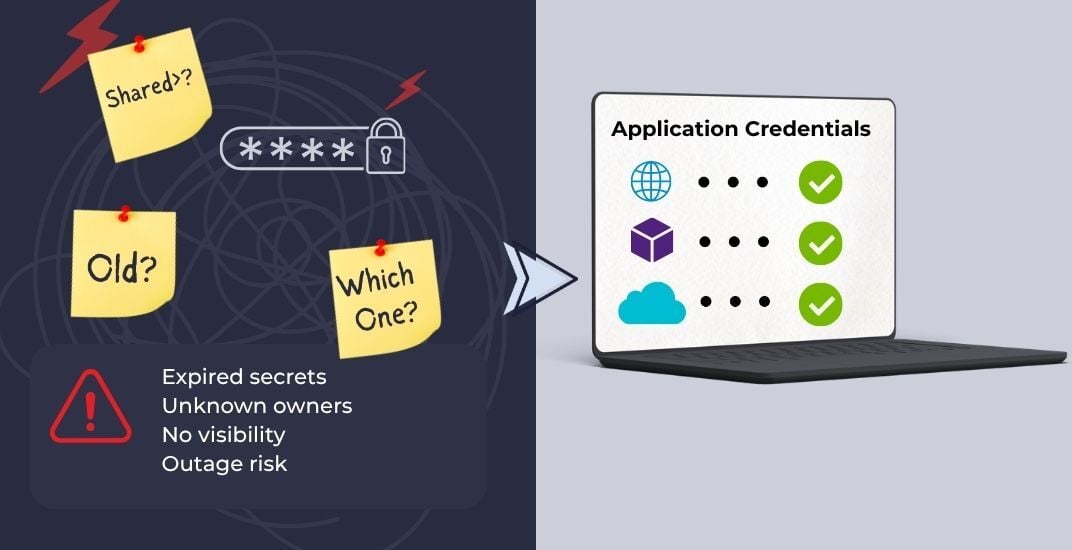
Do you know exactly how many credentials are live in your Entra ID tenant right now? Not roughly. Not "IT's got a handle on it." Exactly. Give me the number!If you can't answer that, you're not alone. It's the question that opened my latest webinar with Nicolas Blank, and it's the one that trips up almost every organization we talk to. This isn't theoretical fearmongering. It's the risk that's already sitting in your tenant, quietly aging, waiting for someone to trip over it. Like watching a horror movie where the person about to get killed switches off the light to the passage and can see a figure in the distance, and slowly it creeps up on you…
Why Entra ID Application Credential Sprawl Is a Growing Security Risk
App sprawl isn't a problem you fix once and move on from. It's a problem you manage continuously because every workload you ship adds an identity. Azure Functions, Logic Apps, Power Automate flows, that custom API someone's dev team stood up last quarter – all of it needs to authenticate. And every app registration in Entra ID can carry two to four secrets or certificates.
Do the math on that. A tenant with 1,000 apps is carrying 4,000+ credentials that someone's supposed to be tracking and rotating, mostly by hand.
Without governance, that's not just an inventory gap. That's a security black hole and forgotten credentials are exactly what falls into it: silent, standing access, nobody remembers granting, and nobody's watching.
The number that should genuinely give you pause: 68% of organizations have at least one app with a secret older than a year (IBM Cost of a Data Breach, 2024). That is not the exception. That is most of the room, and probably your tenant too.
How Expired and Forgotten App Credentials Lead to Breaches
Most breaches don't start with some Hollywood-style zero-day attack. They start with one compromised application credential that's been sitting there long enough for someone to find it. Here's the pattern I keep seeing, over and over:
- Stale. Forgotten credentials are backdoor access with a welcome mat out front.
- Inconsistent. Manual processes mean inconsistent policy and human error, at scale.
- Disruptive. Downtime from expiration isn't an IT inconvenience; it's a business outage.
- Accumulated. Long-lived secrets pile up quietly until, eventually, one of them gets abused.
And 2026 has already handed us the receipts. Here are a few reported identity security incidents from 2026:
2026 Vercel breach
The 2026 Vercel breach demonstrated how a single compromised OAuth token from a trusted third-party application enabled attackers to move laterally into enterprise systems.
Vishing campaigns
Okta documented an active campaign where attackers impersonated IT support, used voice phishing (vishing) to convince helpdesk personnel or users to reset MFA or register new devices, then gained access to Okta or other identity providers. Once inside the identity platform, attackers pivoted into downstream SaaS applications via SSO.
2026 Dashlane security incident
Dashlane disclosed a targeted attack against its device registration flow in which attackers brute-forced one-time verification codes to register unauthorized devices. Before the attack was contained, fewer than 20 users had encrypted password vaults downloaded, though the vaults remained protected by each user's Master Password.
Notice what's missing from all three? Malware. None of it. This is identity abuse, token theft, and credential misuse walking straight past every perimeter control you've spent years and budget building. All these incidents highlight why organizations need continuous visibility into OAuth grants, application credentials, and workload identities, not just user accounts.
What One Weak Application Credential Can Cost Your Business
It's tempting to file this under minor IT housekeeping. It isn't. One weak credential cascades:
- Security – unauthorized access to PII, financial data, cloud infrastructure. Take your pick.
- Compliance – GDPR, HIPAA, NIS2 fines for access controls you knew were weak.
- Operational – apps fail silently the second a secret expires. No warning. No heads-up. Just failure.
- Reputational – one public disclosure and years of customer trust evaporate.
According to the IBM Cost of a Data Breach Report 2025, the average breach now costs $5.08M USD (IBM, 2025). One weak credential is enough to trigger every single item on that list, at the same time. That's not a scare tactic. That's just what cascading failure looks like.
Why Entra ID Makes Credential Governance Hard by Default
I want to be clear about something: Entra ID isn't badly built. It's easy, and that's precisely the problem. Easy is what makes it easy to misuse. A few realities worth sitting with:
- No built-in enforcement for secret rotation or expiry.
- App owners genuinely don't know how long their own secrets last.
- Secrets get created via portal, CLI, or code – no unified control point, no single source of truth.
- No default audit trail for how a credential is actually being used.
- Convenience scales faster than governance does, every time.
Where Does Credential Risk Hide in Entra ID?
When people ask me where to start looking, I point them to the same three places every time.
1. App Registrations: The Secret and Certificate Paper Trail That Doesn't Exist
Secrets and certs live under Certificates & Secrets, and here's the catch that gets everyone: each value is shown to you exactly once. I've watched the same story play out more times than I can count – three secrets, created years apart, zero tagging. One expires, the helpdesk starts fielding failures, and the team genuinely can't say which secret is running production. The owner leaves the company, the value gets copied into a script somewhere, and now nobody can prove what's live.
2. Service Principals: Where the Real Credential Risk Lives
The service principal is the runtime identity. That's where you investigate risky credentials, permissions, sign-ins – not the app object, which will happily lie to you by looking clean. Classic case: a multi-tenant SaaS app gets consented across several business units, the app object looks pristine, and meanwhile its service principal is sitting on broad permissions nobody ever scoped down. That's dangerous because it's direct access to real resources. And the certificates aging on those service principals? Nobody's watching them either.
3. Legacy Secrets vs Certificates and Managed Identities
Secrets get created because they're fast, even though Microsoft's been telling us for years: prefer certificates, prefer Managed Identities. I promise you know this story already – someone copies in a client secret "just to get it working," and two years later it's the production control point. Hard-coded. Undocumented. Still there. Prefer certificates over secrets wherever you can. Let Managed Identities take rotation off your plate entirely when the workload is Azure-hosted.
What Happens When Application Credentials Expire in Entra ID?
Expired application credentials can be a silent, tenant-wide outage that shows up as failed logins across your business. I want to be blunt about this because too many people file it under "minor IT ticket": an expired credential is not minor.
Secret or cert expires; the app can't acquire tokens, sign-ins and API calls start failing. SSO breaks. Federated integrations break. B2B gateways that depend on that credential stop authenticating users – usually with zero warning to anyone. Billing, provisioning, data sync, every automated workflow tied to that app grinds to a halt until someone fixes it. This isn't a governance nicety. This is revenue on the line.
How Should You Manage Application Credential Expiration in Entra ID?
The 4-Step Loop to Manage Credential Expiration: Monitor, Assess, Remediate, Prove
Good news: you don't need a moonshot transformation program. You need a loop, and you need to run it.
Monitor. Surface every expired, expiring, and long-lived credential across apps and service principals. Rank by criticality. In one real environment we looked at: 14 credentials expiring in 30 days, across 3 production apps and 2 risky service principals. That's your starting list.
Assess. Not all expirations are equal – tie each credential to purpose, permissions, business process, and outage impact. A dev secret expiring is a minor annoyance. An SSO certificate expiring is critical. Rank by danger, not by weakness.
Remediate. Rotate safely. Move secrets to certificates. Redesign to Managed Identity. Do it without a change-window outage. The sequence that works: secret to certificate first, then certificate to Managed Identity.
Prove. Control isn't a feeling; it's evidence. The new path works. The old path is removed, not just deprecated on a slide somewhere. You can show the safer mechanism is genuinely in use. No unmonitored credentials left behind.
Quick answer: How to manage application credential expiration in Entra ID
Run a continuous four-step loop. Monitor every expiring, expired, and long-lived credential across app registrations and service principals. Assess each one by business impact. Remediate by rotating secrets to certificates, or to Managed Identities for Azure-hosted workloads. Prove the old credential is gone, not just deprecated. Repeat the loop on a fixed schedule so nothing ages into a silent outage.
Case Study: How Liberty Cut Expired-Credential Incidents in Six Months
I'd rather show you than tell you. One organization, Liberty, ran this loop for six months using the ENow App Governance Accelerator. Before they started: "There were probably over 100 secrets that had expired and needed to be cleaned up." Expired secrets were causing real disruption two to three times a month. Not annoying. Disruptive.
Six months in:
That's not a rounding error. That's the difference between running on hope and running on evidence.
How Do You Keep Up With Application Credential Management?
None of this needs to be complicated or expensive to get moving. Here's where to point your time first:
- Baseline with AppGov Score. Free assessment, tenant-wide view of application and credential risk, a score you can track over time. Start here.
- Monitor and alert continuously. Dashboards, automated notifications, expiring credentials surfaced weeks out – not the morning it breaks.
- Work at scale, programmatically. Microsoft Graph and PowerShell to inventory credentials, flag long-lived secrets, and export owners across every app and service principal. Nobody's doing this by hand at 4,000 credentials. Nobody.
Three Moves to Take Control of Entra ID Credentials Now
If you only take three things from this post, take these. Do them in order, and don't skip the boring one:
- Start with AppGov Score. Get your baseline. Find where the risk is concentrated.
- Operationalize hygiene. Review expirations routinely, validate ownership, rotate before an incident forces your hand.
- Make it repeatable. Monitor → assess → remediate → prove, on a schedule. Not a once-off cleanup sprint that quietly dies in Q3.
Then push further: shift critical workloads to Managed Identities and certificate-first designs, track your AppGov Score over time so you can show the number moving, and share the roadmap with app owners so this sticks instead of decaying right back into chaos.
6 Application Credential Management Best Practices to Start Today
These are the six things I'd want any app owner or identity admin to have front of mind, in order of what moves the needle first:
- Treat expiry as business risk. Map credentials to SSO and critical workloads, not just apps.
- Know what you have. Every client secret and certificate, named owner, expiry date. No exceptions.
- Prefer stronger identity. Certificates over secrets. Managed Identities over both, where Azure-hosted.
- Make rotation safe and routine. New credential in before the old one comes out. Validate sign-ins. Retire the legacy one.
- Automate the watch. Continuous monitoring, alerts ahead of expiry, a baseline you revisit.
- Start now. Pick one critical app this week. Secure its credentials end to end. Just one.
The Bottom Line: Make Credential Governance a Routine, Not a Fire Drill
An expired credential feels small right up until it isn't. It's easy to create, easy to forget, and without governance, it becomes the weakest link in your entire identity estate without you ever noticing. The organizations getting this right aren't the ones with the fanciest tooling stack. They're the ones who've turned monitoring, assessment, and rotation into a routine instead of a fire drill.
So, do you know how many credentials are live in your tenant right now?
If the honest answer is still "no," that's exactly where to start.
Run a free assessment with AppGov Score and get a tenant-wide baseline of your application and credential risk – expired and expiring secrets, ownerless apps, service principals carrying more risk than anyone realizes. Then you'll know.
Frequently Asked Questions About Entra ID Application Credentials
What is an application credential in Entra ID?
An application credential is the secret or certificate an app registration or service principal uses to authenticate to Entra ID and acquire tokens. Each app registration can hold multiple client secrets or certificates. Unlike a user password, no one is prompted to rotate it, so it quietly persists until it expires or is abused.
How often should you rotate Entra ID client secrets?
Rotate client secrets at least every 6 to 12 months, and sooner for anything tied to SSO or a critical workload. Better still, replace short-lived secrets with certificates, and use Managed Identities for Azure-hosted workloads so rotation is handled for you and there is no secret to leak.
What happens when an Entra ID app credential expires?
When a credential expires, the app can no longer acquire tokens, so sign-ins and API calls fail. SSO, federated integrations, and B2B gateways that depend on it stop authenticating users, usually with no warning. Billing, provisioning, and data-sync jobs tied to that app halt until someone issues a new credential.
Are certificates more secure than client secrets in Entra ID?
Yes. Certificates are harder to leak than client secrets because the private key can stay in a key store or HSM and never travels in plain text. Microsoft recommends certificates over secrets, and Managed Identities over both when the workload runs in Azure, since they remove the stored credential entirely.
How do I find expired or expiring app credentials in Entra ID?
Use Microsoft Graph or PowerShell to inventory every app registration and service principal, then read each credential's expiry date and flag anything expired, expiring soon, or older than a year. For a tenant-wide view without scripting, a free AppGov Score assessment surfaces expiring credentials, ownerless apps, and risky service principals in one place.
What is the difference between an app registration and a service principal?
The app registration is the application's global definition, while the service principal is its identity inside a specific tenant, the object that actually holds permissions and signs in at runtime. When investigating credential risk, look at the service principal: the app object can look clean while its service principal carries broad, unscoped access.

Written by Alistair Pugin
M365 + Security MVP | Blogger | Podcaster | Speaker | Founder, CEO - YModernize
Alistair has worked in various capacities in multiple verticals from retail-manufacturing to government, spanning 50 to 50000 users utilizing all aspects of pure Enterprise Information Management.
Specialties: 20+ years pure IT, 16 years ECM, Livelink, Zylab, SharePoint, FileNet, etc. IT Pro dabbling in Dev, ECM Consultant, Suffering from Technophilia. Technology Architect specializing in Business Productivity Enrichment.